editorviewsdimensioning
Perspective, elevations, and dimensions at a flick
Three new tools landed: outer dimensions on a switch, a freely rotatable 3D perspective, and elevations from any compass direction. With pictures of how they look.
Over the last few days, three things made their way into the editor that speed up planning. One for dimensioning, two for looking at your work. In order.
Outer dimensions, automatically
Dimensioning is the work nobody enjoys and everybody needs. So Struqo takes the boring part. One switch lays out the outer dimensions all around, staggered to DIN.
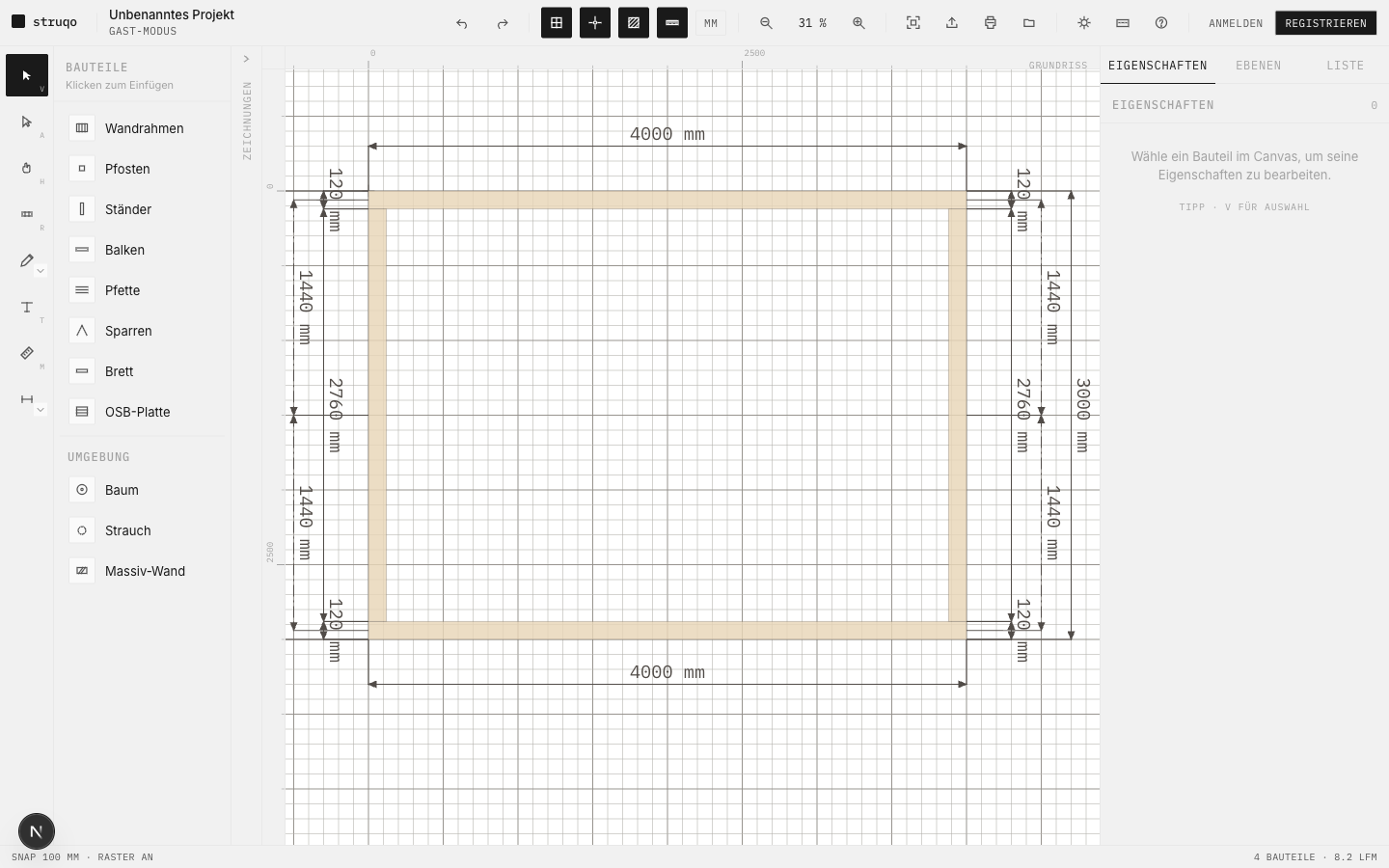
The dimensions are a living layer: they grow along as the plan changes, and if you hide a layer, its dimensions vanish with it. The dimensions you drew by hand stay untouched. You find it on the little arrow next to the dimension tool; a checkmark tells you it is on. Switching it off is just as quick.
A perspective to rotate
A floor plan is honest, but flat. The perspective computes a spatial 3D preview from your plan, live from the source. Change the plan and the spatial view changes with it.
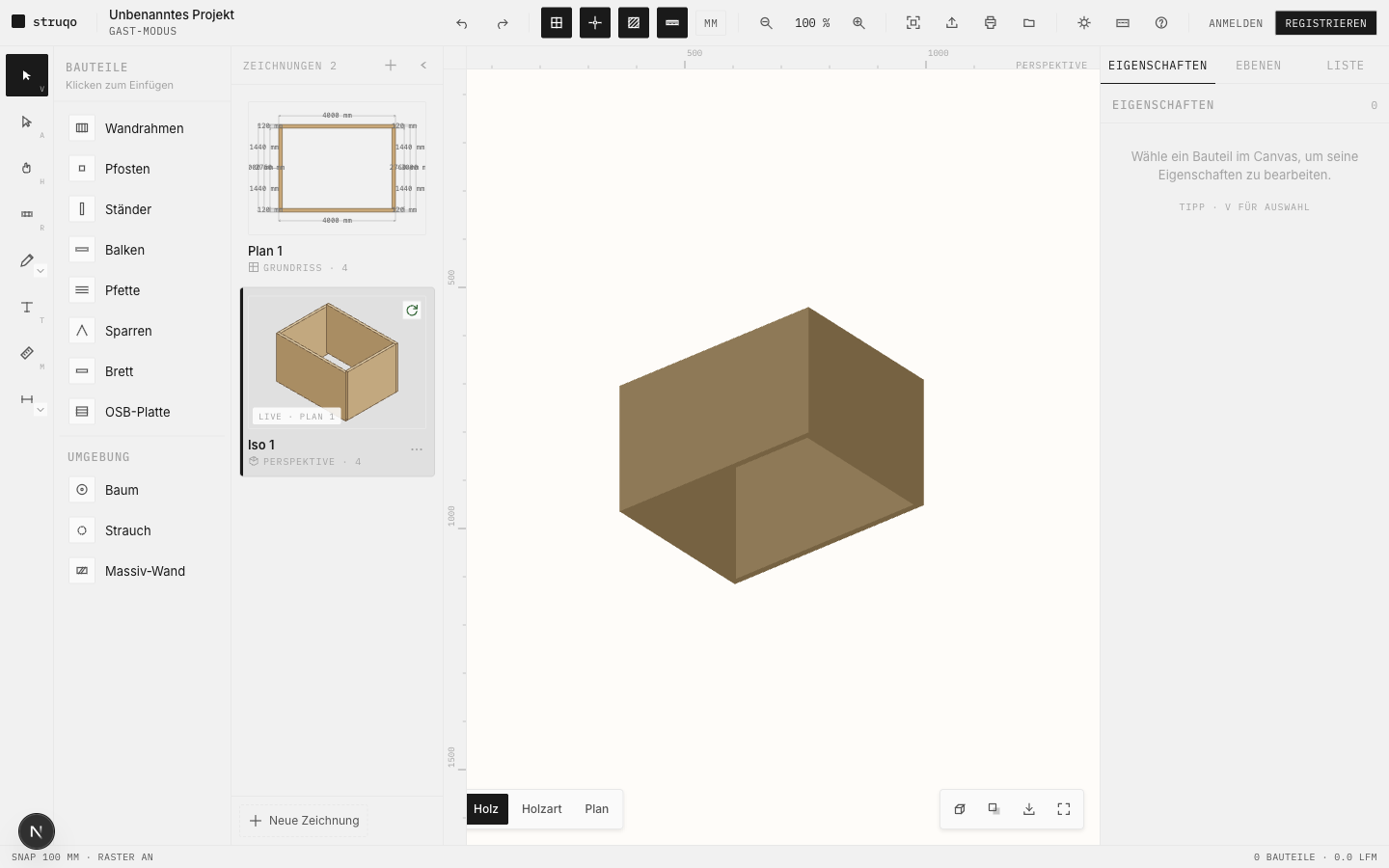
It is view-only, so nothing breaks when you click. You rotate and zoom freely until the angle sits right, full screen if you like. For the rendering you choose between wood, species, and the sober plan. And once you like the angle, you export it as an image. New drawing, "Perspective", pick the source plan, done.
An elevation from a compass direction
For height and front you need an orthographic view. Struqo projects your plan from north, east, south, or west, without perspective tricks.
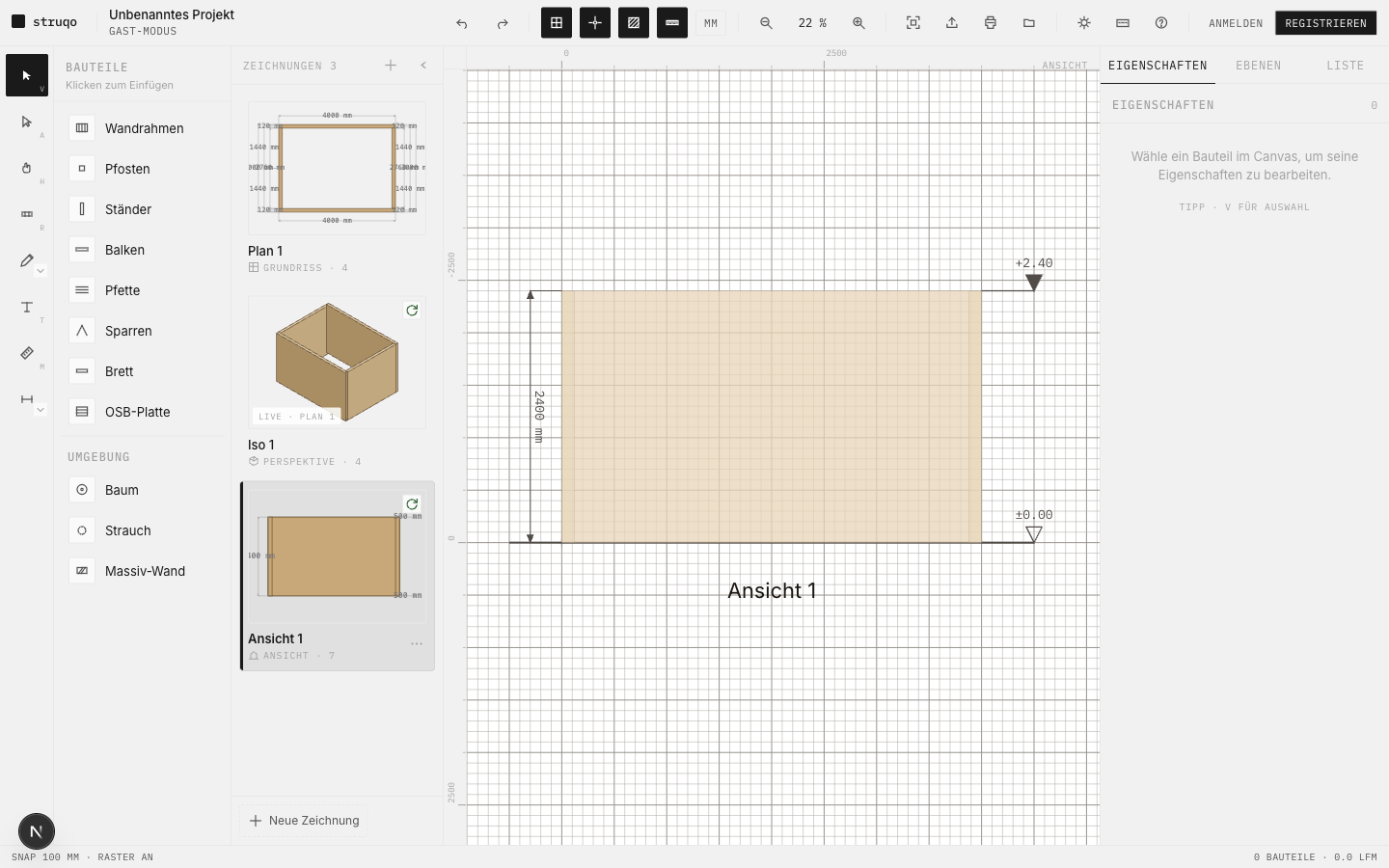
South is the default, the rest is one click. Like the perspective, the elevation stays linked to the plan. Optionally you can switch on a cast shadow per view, which makes overlapping parts easier to read.
Want to try it yourself? Jump in, no account needed. If something snags or is missing, tell me straight through the form or via the "?" at the top of the editor.
Why screenshots live here and not in the help: the help should last, screenshots age. So this dated entry carries the images, while the help explains with calm diagrams. More on that once the pattern has proven itself.
Updated June 12, 2026: the editor moved faster than this entry. The iso grew into the perspective, a real 3D viewport you rotate freely. And the outer dimensions are now a switch that keeps itself up to date. Text and pictures above show the new state.